

MATLAB
A MATLAB software training outline generally follows a structured path from basic to advanced skills. Standard programs start with the user interface and data handling, then move into coding logic, and end with real-world applications.
Phase 1: Beginner/ Basics
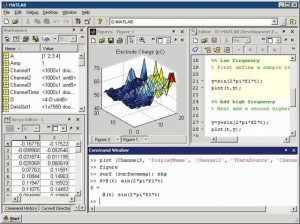
- MATLAB Environment & Interface:
- Command window, current folder, workspace and command History
- Creating and managing live scripts
Data Types and Variables
- Naming rules, assigning values and clearing workspace data.
- Numeric types,( double, integers), characters, strings and logical ( Boolean)values.
vectors and Matrices:
- Creating arrays using brackets [], colon operators and linespace().
- Matrix dimensions, transposing (‘ ), and indexing/slicing matrix elements.
Basics Math & Operation:
- Arithmetic operation and built-in math functions ( log, exp, sqrt. Trigonometrics
- Element-wise operations using the dot operator ( .*-^) versus linear algebra matrix muiltiplication(*).
Data Visualization 2D:
- Basics 2D line plots , scatter plot, adding tittle blocks, lables, legenda and grid lines.
Phase 2: Intermediate/core programming
Control Flow & logic:
- Conditional statements ( if, elself ,else).
- Loop ( for loops while loops ) error handling.
Writing custom Functions:
- Function syntax, input/output, arguments, local versus global variables, and anonymous functions.
Avanced data Structures :
- Cell arrays, structures, tables and timetable for mixtures, tables and time table for mixed data organization.
- Data import & export :
- Reading and writing data from/to external files ( CSV) excel spread sheets
- Data Intermediate Data Analysis & plotting :
- Statistical analysis, (mean,median,standard deviation, and data interpolation.
- Advance 3D visualization,(mesh,surf,plot, contour plot,subplot layouts)
Phase 3: Advance Topics
- Symbolic Math & Calculus :
- Defining symbolic variables, solving algebraic equations, analytically, and performing symbolic integration and differentiation.
Optimizing code performance :
- Vectorization techniques to eliminate slow loops, profiling code excecution, and pre-allocation memory arrays.
- Object-oriented programming ( oop) in Matlab :
- Creating classes, defining properties and methods,handling inheritance or event listener
App Building :
- Designing graphical user interfaces, (GUI) interactively using App designer and callback programming.
- Simulink & model-Based Design:
- Introduction to block diagram, modeling, continuous/discrete dynamic system simulation and signal processing workflows




Related Articles