
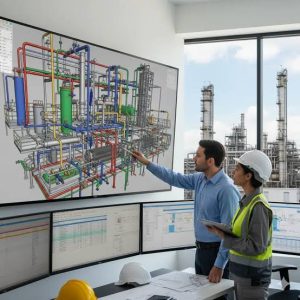
A PDMS (Plant Design Management System) software training outline teaches you to build 3D models of industrial plants like oil refineries. You will learn to design equipment, route pipes, build steel structures, and create engineering drawings. Most programs take 3 to 4 weeks to complete.
Module 1: PDMS Basics
- Interface: Learn how to log in and navigate the workspace.
- Hierarchy: Understand how the software organizes files. Think of it like a folder on your computer.
- Utilities: Use basic tools to select and move objects.
Module 2: Equipment Modeling
- Primitives: Build basic shapes (boxes, cylinders, cones) to represent tanks and vessels.
- Standard equipment: Insert preset machines like pumps and heat exchangers.
- Nozzle addition: Attach connection points (nozzles) to equipment.
Module 3: Piping Design
- Specs: Learn to use the software’s preset size and material rules.
- Routing: Draw lines explicitly (typing exact coordinates) or implicitly (using connecting points).
- Components: Add valves, elbows, and flanges along the pipe.
Module 4: Structural Modeling
- Steelwork: Build beams, columns, and bracing for platforms.
- Accessways: Add stairs, ladders, and handrails.
- Penetrations: Cut holes in floors for pipes to pass through.
Module 5: Draft and Isodraft
- Draft module: Turn your 3D model into 2D blueprint drawings.
- Isodraft: Automatically generate single-pipe layouts (isometrics) for builders to use in the field.
- BOM: Create a list of all materials needed for construction.
Module 6: Clash Detection
- Interferences: Use the software to check if pipes, steel, and equipment accidentally overlap in the same 3D space.
- Fixing clashes: Adjust your model to make sure parts fit perfectly.



Related Articles


