An effective Oracle Primavera P6 software training outline is structured to take you from a beginner’s understanding of project structures to advanced schedule tracking.
This covers fundamental concepts, timeline creation, cost loading, and schedule execution.
Module 1: Introduction & Environment Setup
- Software Overview: Introduction to the interface, menus, and views.
- Enterprise Project Structure (EPS): Setting up your company’s hierarchy.
- Organizational Breakdown Structure (OBS): Defining roles and responsibilities.
Module 2: Project Creation & Calendars
- Creating a New Project: Setting unique Project IDs, names, and statuses.
- Project Calendars: Creating and assigning workdays, holidays, and shift hours.
- Work Breakdown Structure (WBS): Breaking the project down into smaller, manageable pieces.
Module 3: Scheduling & Logic
- Adding Activities: Inserting the specific tasks needed to complete your WBS.
- Activity Types & Durations: Defining if a task is a milestone, task-dependent, or resource-dependent.
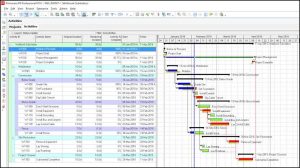
- Dependencies (Logic Links): Connecting tasks using Finish-to-Start (FS), Start-to-Start (SS), Finish-to-Finish (FF), and Start-to-Finish (SF) rules.
Module 4: Resources, Costs, & Baselines
- Resource Breakdown Structure: Defining the people, materials, and equipment required.
- Cost Loading: Integrating budget limits and Bill of Quantities (BOQ) to track money.
- Project Baseline: Taking a “snapshot” of the original schedule to compare against future progress.
Module 5: Tracking & Reporting
- Updating Project Progress: Entering actual start/finish dates and remaining durations.
- Critical Path Method (CPM): Using the critical path to find the longest sequence of tasks and avoid project delays.
- Reporting: Generating charts, earned value data, and look-ahead schedules to show to stakeholders.

Related Articles